Python try–except
Why do real-world Python apps never crash, even when things go wrong?
The answer is try–except.
This guide gives you complete, beginner-to-advanced notes on try–except, written for blogs, exams, interviews, and real projects.
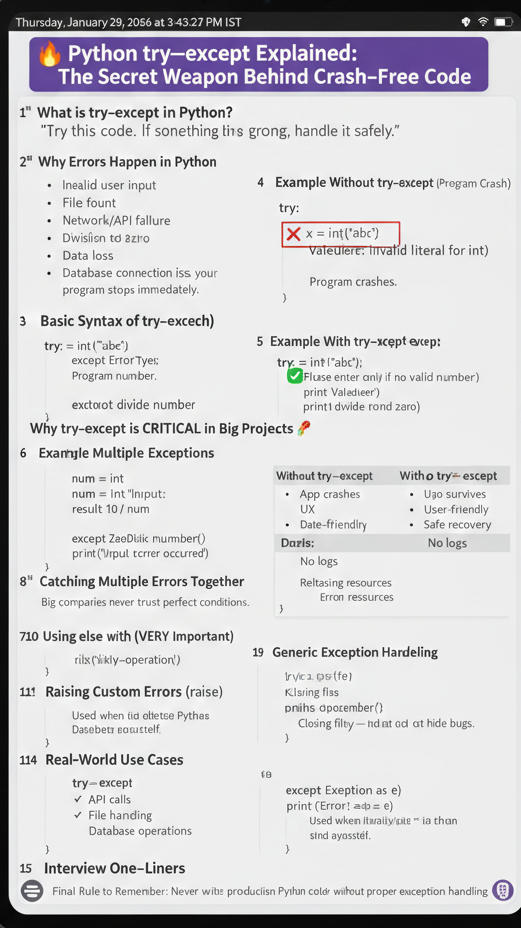
1️⃣ What is try–except in Python?
try–except is Python’s error-handling mechanism. It allows a program to handle runtime errors gracefully instead of crashing.
In simple words:
“Try this code. If something goes wrong, handle it safely.”
2️⃣ Why Errors Happen in Python
Errors occur due to:
- Invalid user input
- File not found
- Network/API failure
- Division by zero
- Database connection issues
Without handling these errors, your program stops immediately.
3️⃣ Basic Syntax of try–except
try:
# risky code
exceptErrorType:
# error handling code
4️⃣ Example Without try–except (Program Crash)
x = int(“abc”)
print(x)
❌ Output:
ValueError: invalid literal for int()
Program crashes.
5️⃣ Example With try–except (Safe Code)
try:
x = int(“abc”)
exceptValueError:
print(“Invalid number”)
✅ Program continues smoothly.
6️⃣ Why try–except is CRITICAL in Big Projects 🚀
In real-world applications:
| Without try–except | With try–except |
|---|---|
| App crashes | App survives |
| Poor UX | User-friendly |
| Data loss | Safe recovery |
| No logs | Error logging |
Big companies never trust perfect conditions.
7️⃣ Handling Multiple Exceptions
try:
num = int(input(“Enter number: “))
result = 10 / num
exceptValueError:
print(“Please enter a valid number”)
exceptZeroDivisionError:
print(“Cannot divide by zero”)
8️⃣ Catching Multiple Errors Together
try:
risky_operation()
except (ValueError, TypeError):
print(“Input error occurred”)
9️⃣ Using else with try–except
else runs only if no exception occurs.
try:
x = int(“10”)
exceptValueError:
print(“Error occurred”)
else:
print(“Success:”, x)
🔟 Using finally (VERY Important)
finally always runs, whether an error occurs or not.
Used for:
- Closing files
- Closing database connections
- Releasing resources
try:
file = open(“data.txt”)
exceptFileNotFoundError:
print(“File missing”)
finally:
print(“Cleanup done”)
1️⃣1️⃣ Generic Exception Handling
try:
risky_code()
exceptExceptionase:
print(“Error:”, e)
⚠️ Use carefully — do not hide bugs.
1️⃣2️⃣ BAD vs GOOD Practice
❌ Bad Practice
try:
risky_code()
except:
pass
✅ Good Practice
try:
risky_code()
exceptSpecificErrorase:
log_error(e)
1️⃣3️⃣ Raising Custom Errors (raise)
ifage < 0:
raiseValueError(“Age cannot be negative”)
Used when you detect a problem yourself.
1️⃣4️⃣ Real‑World Use Cases
✔ API calls ✔ File handling ✔ Database operations ✔ Payment systems ✔ Cloud services ✔ User input validation
1️⃣5️⃣ Interview One‑Liners 🧠
try–exceptprevents runtime crashes- Used where failure is expected
- Improves reliability and user experience
- Mandatory in production systems
🔚 Final Rule to Remember
Never write production Python code without proper exception handling.
🔥 Python try–except Explained: The Secret Weapon Behind Crash‑Free Code
About the Author